Wallet
The keys to your digital life. Everywhere.
Your digital life, secured.
Wallet is the simplest and easiest way to keep track of and secure your most sensitive information. Think of Wallet as your own flexible, personal database, where you can store all of your web passwords, software license keys, credit card numbers, and more. And don't limit yourself to just passwords: Wallet's flexibility allows you to create custom groups to organize any kind of data you want. You can even attach files from your Mac to individual entries in Wallet.
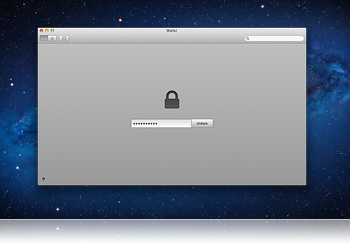
Military-grade security.
When you keep your most precious information in one place, it's important to have strong security protecting it. Wallet employs military strength 256-bit AES encryption to lock and secure your database - the de facto standard in encryption technology. And Wallet's many other security features, like auto-lock, clipboard clearing, and the access log make sure your data is always locked away from prying eyes.
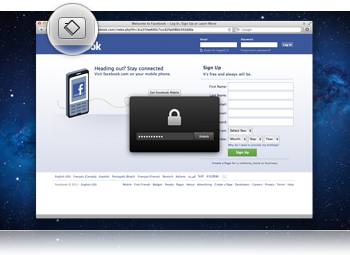
Integrated with your browser.
Now you can access Wallet directly from your browser. Wallet's browser extensions let you automatically fill in forms on any web page using your Wallet data. You can also save new passwords directly to Wallet after logging into a site. Just click the toolbar button, type in your Wallet password, and you're good to go. Browser extensions are available for both Safari and Google Chrome.
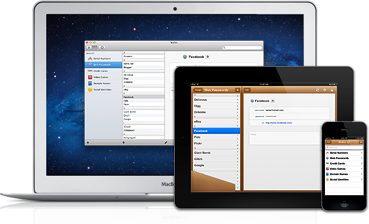
Take Wallet everywhere.
Take your most important information with you on the go. Wallet is available for both macOS and iOS, meaning you can access your entire Wallet database anywhere you are. By syncing over-the-air using Dropbox, WebDAV, or local Wi-Fi, your information is always up-to-date and ready to go.
Your digital life, secured.
Wallet is the simplest and easiest way to keep track of and secure your most sensitive information. Think of Wallet as your own flexible, personal database, where you can store all of your web passwords, software license keys, credit card numbers, and more. And don't limit yourself to just passwords: Wallet's flexibility allows you to create custom groups to organize any kind of data you want. You can even attach photos from your iPhone or iPad to individual entries in Wallet.
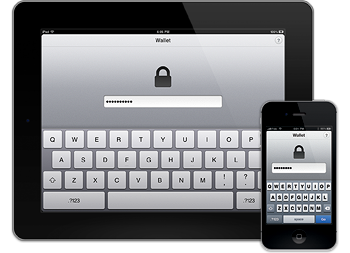
Military-grade security.
When you keep your most precious information in one place, it's important to have strong security protecting it. Wallet employs military strength 256-bit AES encryption to lock and secure your database - the de facto standard in encryption technology.
And Wallet's many other security features, like auto-lock, make sure your data is always locked away from prying eyes.
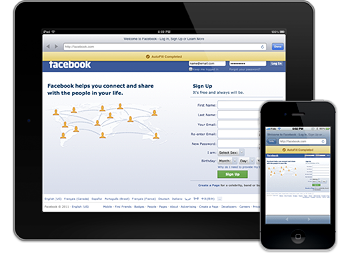
Sign in with Wallet.
Wallet for iOS lets you automatically visit and log into any web page using your Wallet information, making accessing bank accounts, administrative panels, forums, and other private sites easier than ever before. Simply tap the AutoFill button in any entry, and Wallet will launch the site using its built-in WebKit browser.
Take Wallet everywhere.
Take your most important information with you on the go. Wallet is available for both macOS and iOS, meaning you can access your entire Wallet database anywhere you are. By syncing over-the-air using Dropbox, WebDAV, or local Wi-Fi, your information is always up-to-date and ready to go.